

Changelog
Get a heads-up for the big stuff
Receive an email about major Mowji updates. Small fixes stay here in the changelog. Privacy policy
1.2.1
- Fixed
The emoji picker no longer needs you to switch away and back after opening Firefox
- Fixed
Fixed a problem that could prevent the emoji picker from opening in Opera
1.2.0
Search emojis in your own language
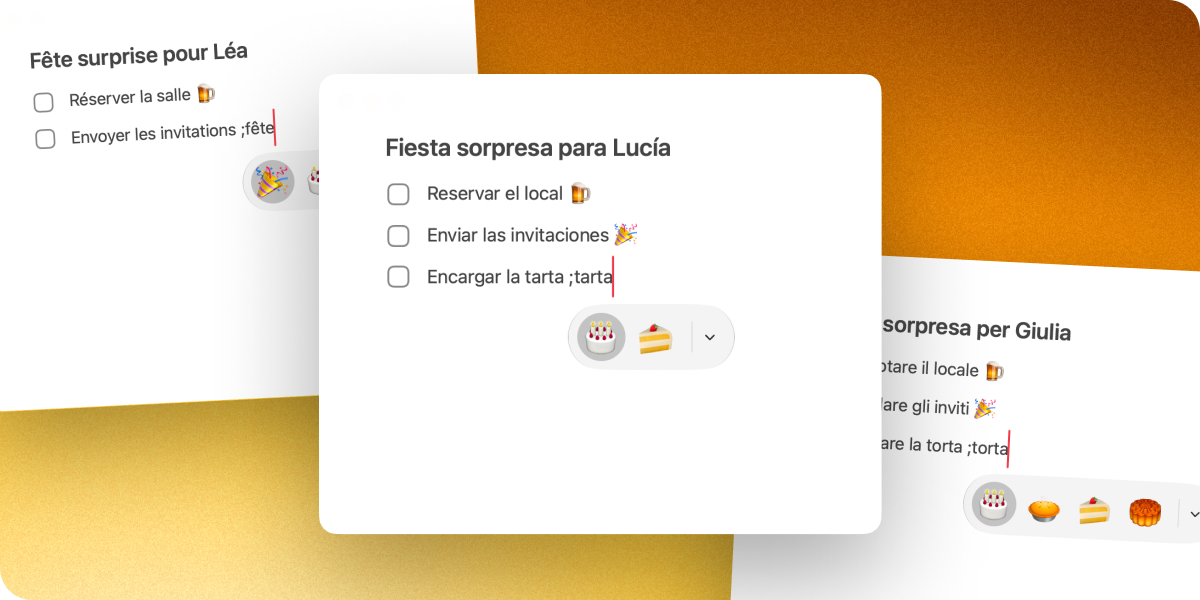
Mowji now understands more than English. Add up to two languages in Settings › Search › Secondary languages, and the picker finds emoji by their words in those languages too. Type :gato in Spanish and you get 🐈, the same way :cat does.
There are 26 languages to choose from:
Bengali, Chinese (Simplified), Chinese (Traditional), Danish, Dutch, Estonian, Finnish, French, German, Hindi, Hungarian, Italian, Japanese, Korean, Lithuanian, Malay, Norwegian Bokmål, Polish, Portuguese, Russian, Spanish, Spanish (Mexico), Swedish, Thai, Ukrainian and Vietnamese.
You don’t have to type accents. :cafe finds what :café finds. For now, Chinese, Japanese and Korean work with romanized words, like :neko for 🐈. Mowji’s menus and the emoji names it shows are still in English.
- New
Search emojis in up to two more languages alongside English: turn on Secondary languages in Settings › Search and choose from 26
- Fixed
Accented words work in a search now (;café keeps the picker open, but you can keep writing it as ;cafe if you want)
- Fixed
Design improvements in Onboarding and Settings window
1.1.4
- Fixed
Selected emoji, categories and menu items have improved contrast in dark mode
- Fixed
The emoji menu now shows ⌘C beside Copy to clipboard
1.1.3
- Fixed
The picker now opens at your text cursor in Google Docs (tested in Safari and Chrome)
- Fixed
Improved emoji insertion reliability in Notion and Figma
1.1.2
- Fixed
Minor fixes
1.1.1
- Fixed
Improved the performance while scrolling through the emoji browser, much smoother
1.1.0
- New
Added Emoji 18, ready to use when your Mac supports them
- Fixed
Emoji your macOS version can't display no longer appear as broken symbols in the pickers
1.0.2
- Fixed
Stray letters, hair pieces and skin-tone swatches no longer appear on their own in search or the emoji browser
- Fixed
Settings now shows the actual selected trigger character when setting a custom one
1.0.1
- Fixed
Inserting an emoji in web editors no longer joins your paragraph to the next one
1.0.0
Hello, Mowji 👋
The first public release of Mowji, a native emoji picker for your Mac.
Type : and a word, choose an emoji, and keep writing—all without leaving the text field.
Make it yours with Favorites, custom aliases, skin tones, and your choice of trigger key. Use the compact picker while typing, or open the full emoji browser to explore.
Thank you to everyone who tested Mowji, shared feedback, or joined the waitlist. You helped shape this first release.
Happy typing, Francesco